 SKYTRACK
Know the turbulence before you fly.
Click any flight and SkyTrack checks the route ahead, at its altitude, then tells you in plain words: green, yellow or red. Free, open source, no account, no API key.
Windows · 78 MB · v0.7.9 · Also for macOS and Linux
Real flights and live data, straight from the app.
How it works
From download to answer in three steps
No sign-up and no setup. Open SkyTrack and the map is already full of aircraft.
Open it
Install the app, or try the web demo. The map opens with aircraft already on it.
Click a plane
The flight card shows who flies it, where it is going and how high and fast it is.
Read the color
Green, yellow or red tells you in plain words if there is turbulence on the route ahead.
Turbulence ahead
Green, yellow or red. In plain words.
SkyTrack looks at the route ahead of the aircraft, at its altitude, using official SIGMET and G-AIRMET advisories and recent pilot reports.
Green
Nothing reported or forecast on the route ahead.
Yellow
Moderate turbulence is possible. The card shows roughly how far ahead.
Red
High risk of turbulence ahead, with the distance to it.
The web demo uses simulated flights. The desktop app shows real, live flights.
Features
Everything you need to follow a flight
From a quick look at who is flying over your house to planning around turbulence, all in one calm, fast window.
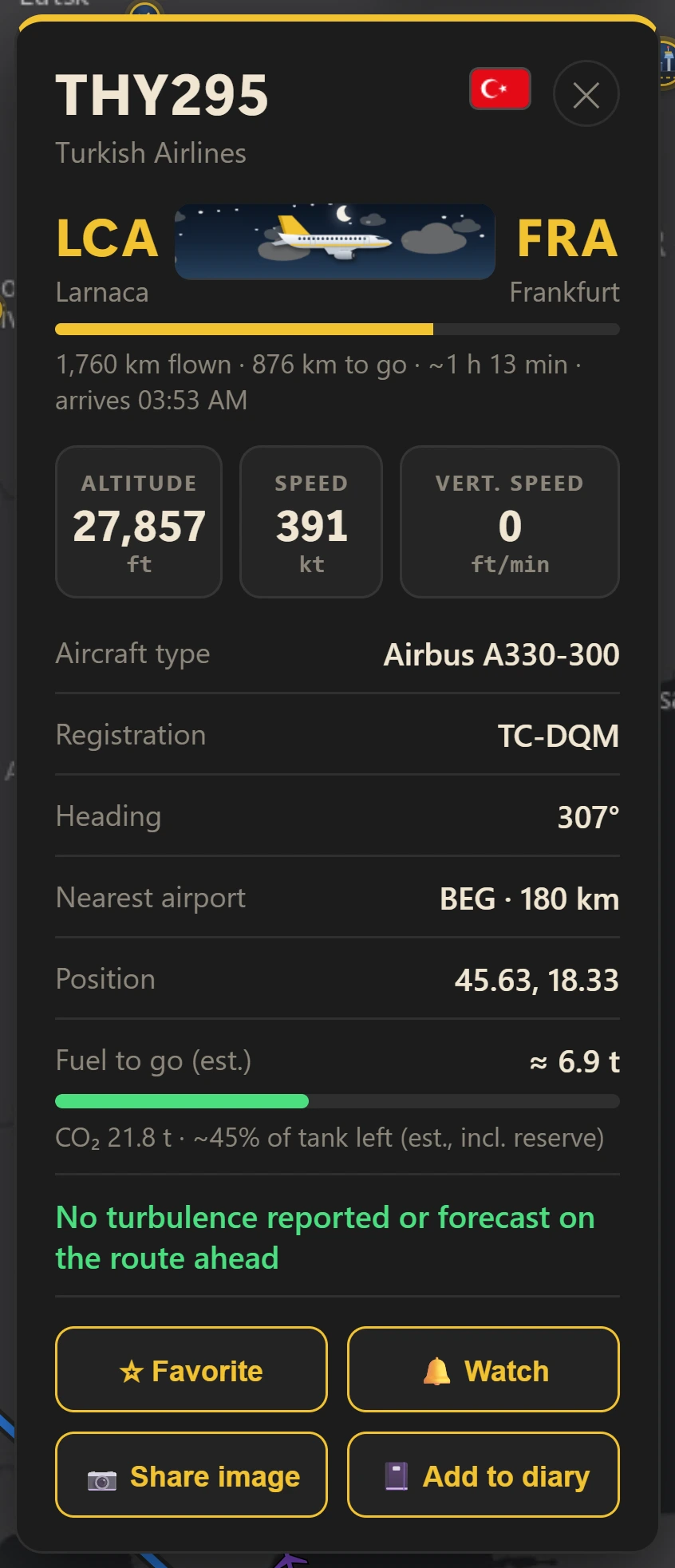
All about a flight, on one card
Click any plane. The card shows who flies it, where it is going and how it is doing right now.
- Airline, aircraft type, registration and photo, with the flag of the country it is registered in
- Route with an animated flight line, distance left and estimated arrival time
- Altitude, speed, vertical speed, and head or tail wind
- Today's flights of the same aircraft, drawn on the map with one click
- An altitude and speed chart, and a button that saves a picture of the flight to share
Live flights
Positions refresh every 15 seconds. Move the map and the new area loads right away.
Range filters
Altitude and speed ranges with two handles each, plus airport, airline and aircraft type.
Replay
Rewind the last hour. A label above the slider shows exactly which time you are viewing.
Watchlist
Watch a plane and get a notification when it takes off or lands, anywhere in the world.
Alert zone
Draw a circle on the map and get notified when an aircraft enters it.
Emergency alerts
Aircraft squawking 7500, 7600 or 7700 get a blinking red ring and a notification.
Know about turbulence before it happens
SkyTrack looks at the route ahead of the selected aircraft, at its altitude, and tells you in plain words.
- Green: nothing reported or forecast ahead
- Yellow: moderate turbulence possible
- Red: high risk of turbulence
- A map layer draws official SIGMET and G-AIRMET turbulence areas worldwide
Based on advisories and recent pilot reports. Green means nothing is reported, not a guarantee.
See the wind your flight is flying in
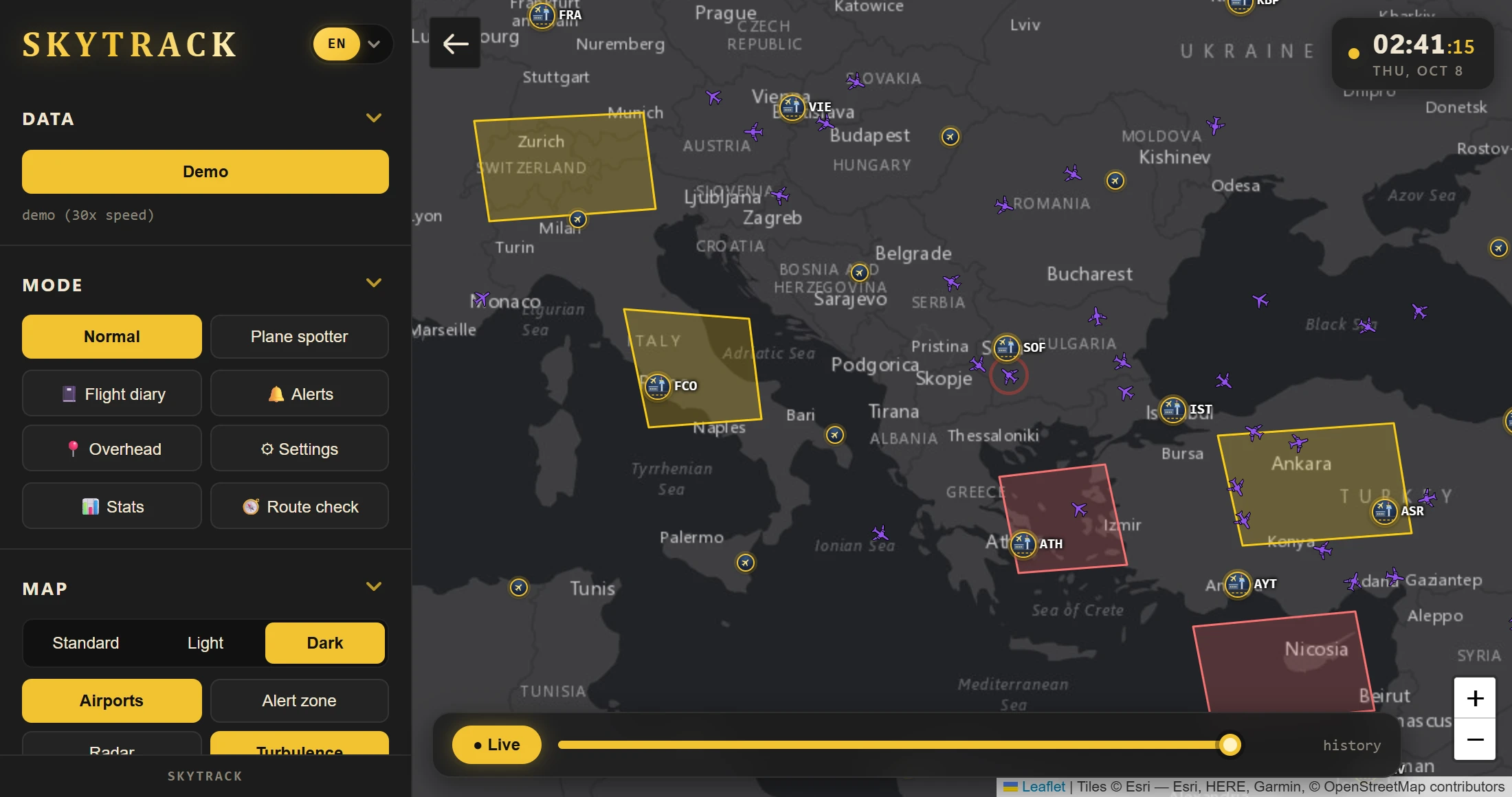
Turn on wind arrows at any flight level and see jet streams as they form. On the card, SkyTrack shows head or tail wind and a rough fuel and CO₂ estimate.
- Wind arrows colored by speed, at six flight levels from FL050 to FL390
- Estimated fuel and CO₂ for the rest of the flight, with a bar for the fuel left
- Estimated arrival time based on the current ground speed
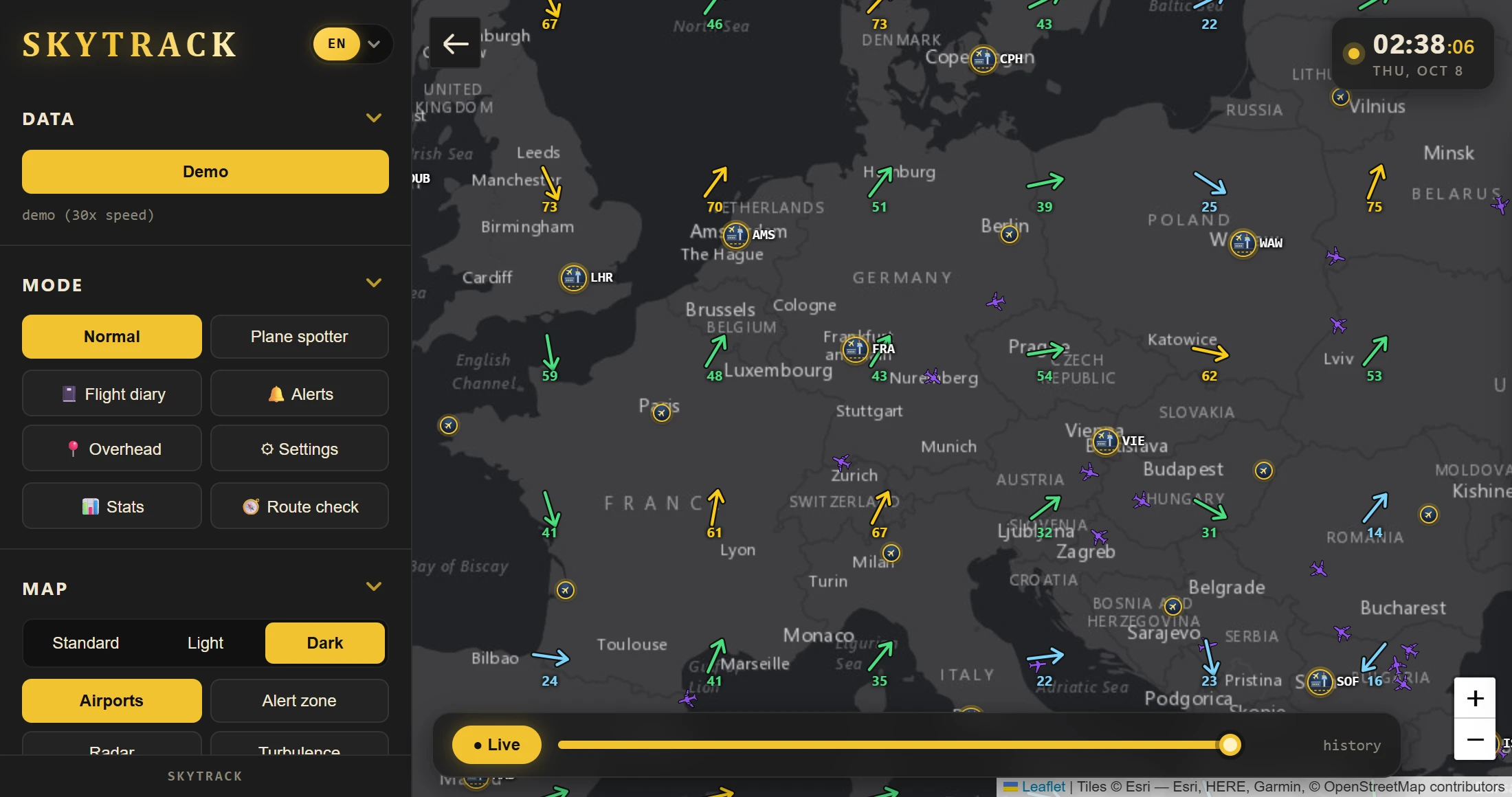
Click an airport, get the whole picture
Current weather, the raw METAR and TAF with its VFR/IFR category, and live arrivals and departures. Click a flight in the list to open it.
- Temperature, wind, gusts, visibility and pressure
- Arrivals and departures with status (approaching, landing), distance and time
- City and country, and a rain radar layer on the map
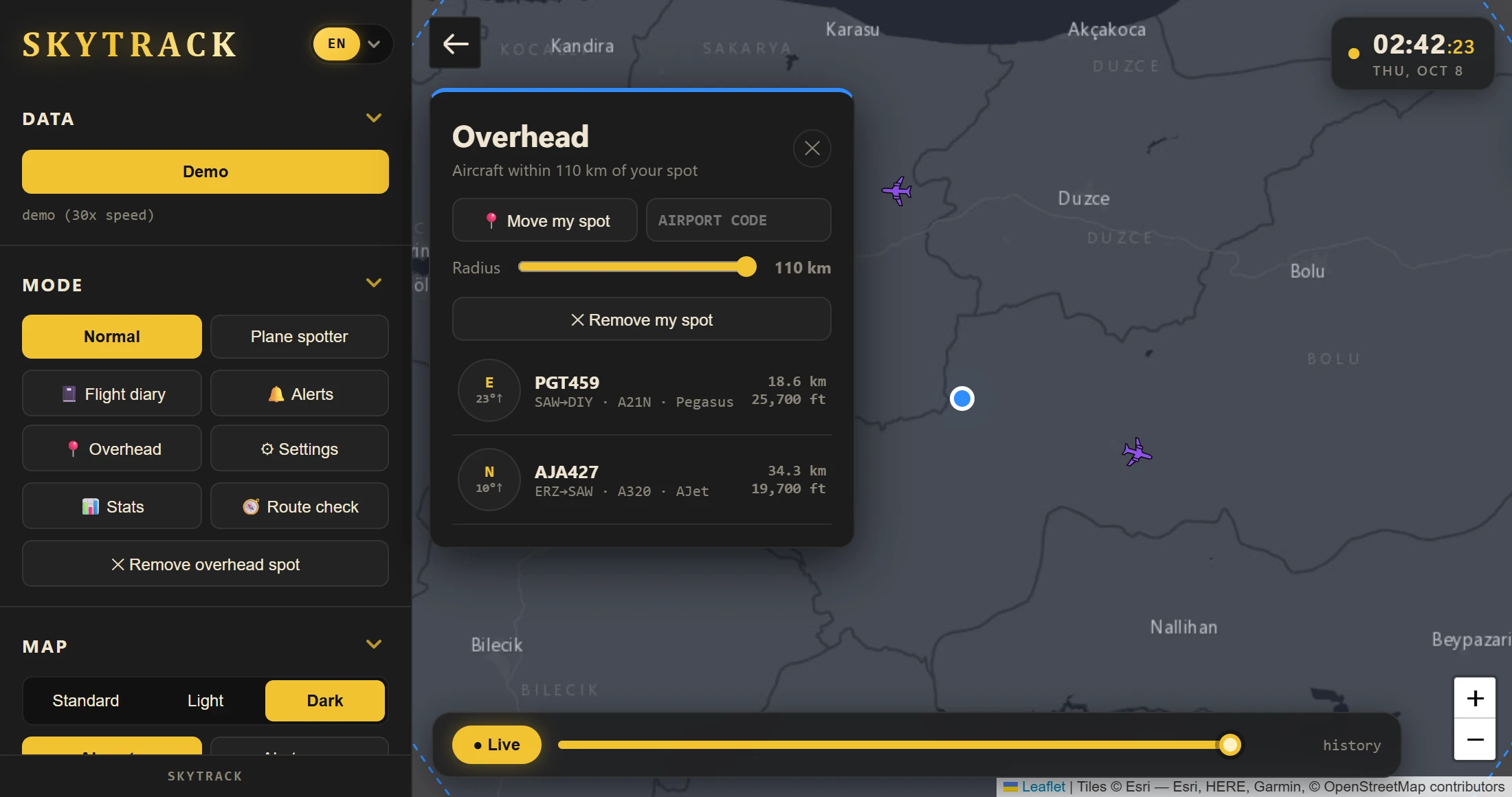
See what is flying right above you
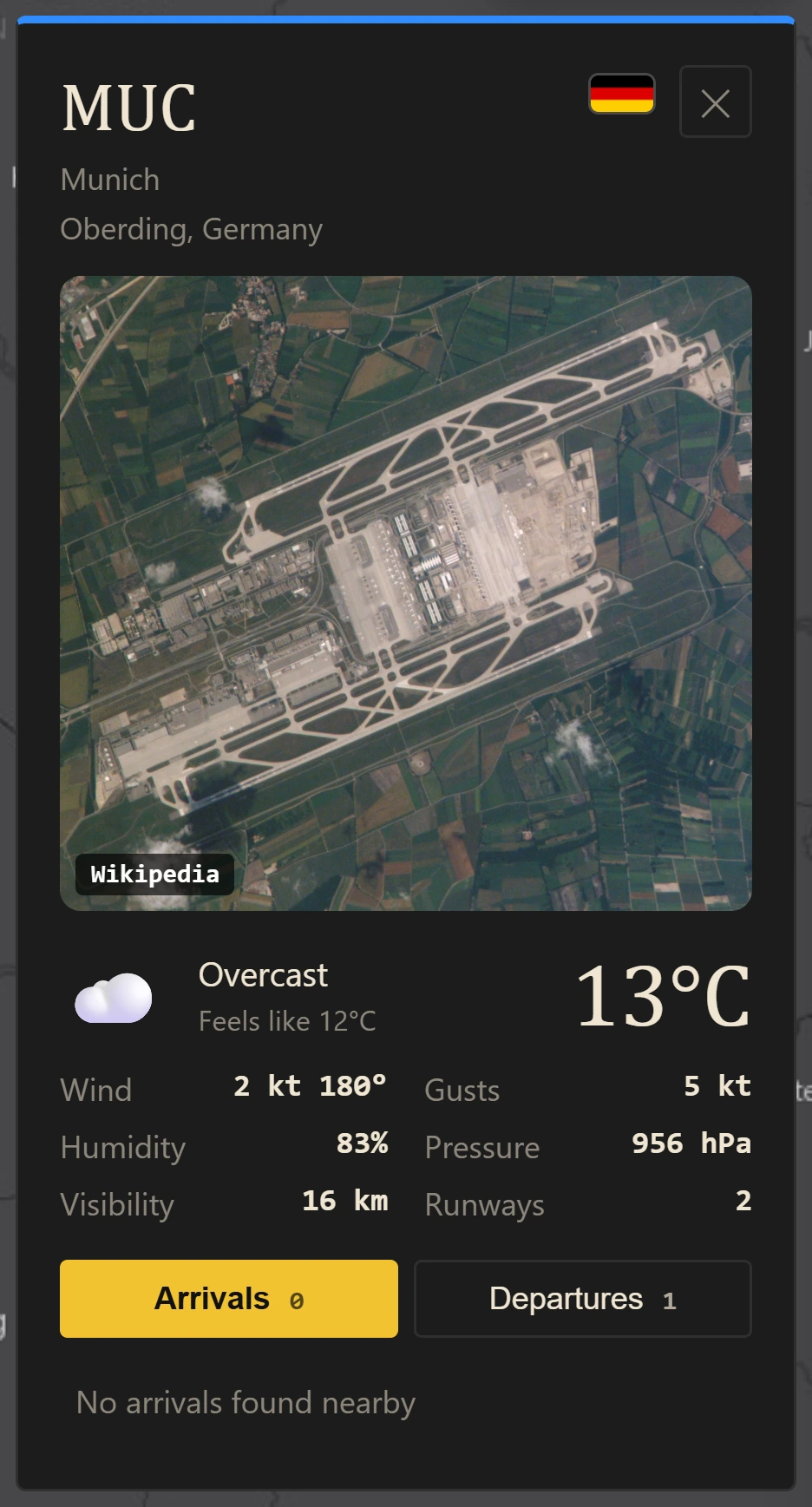
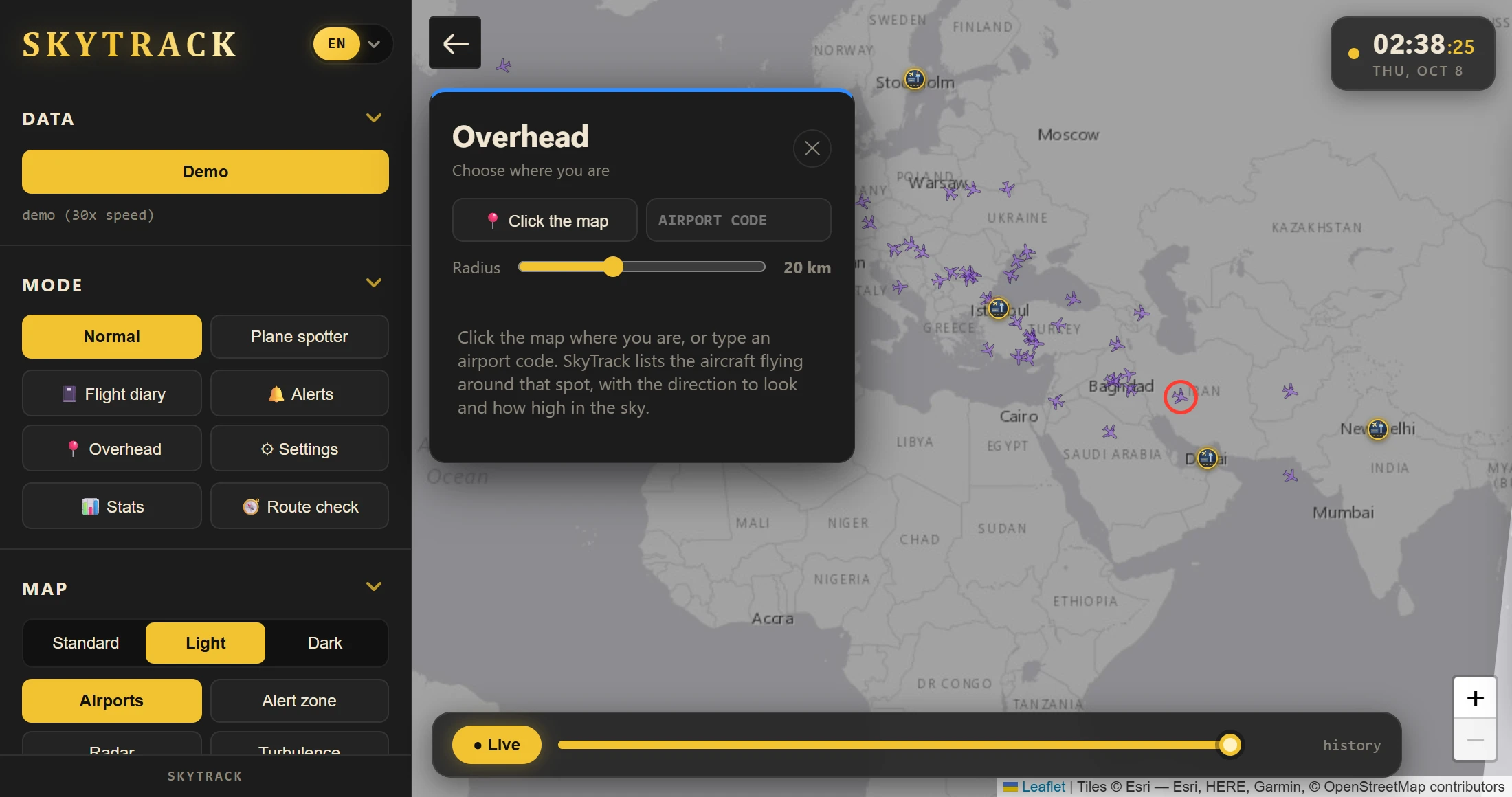
Pick your spot on the map or type an airport code. SkyTrack lists the aircraft around you and tells you where to look.
- Compass direction and how high in the sky, for every aircraft
- Airline, route, aircraft type, distance and altitude
- Your own radius, from 5 km up, drawn on the map
Keep your flights and share them
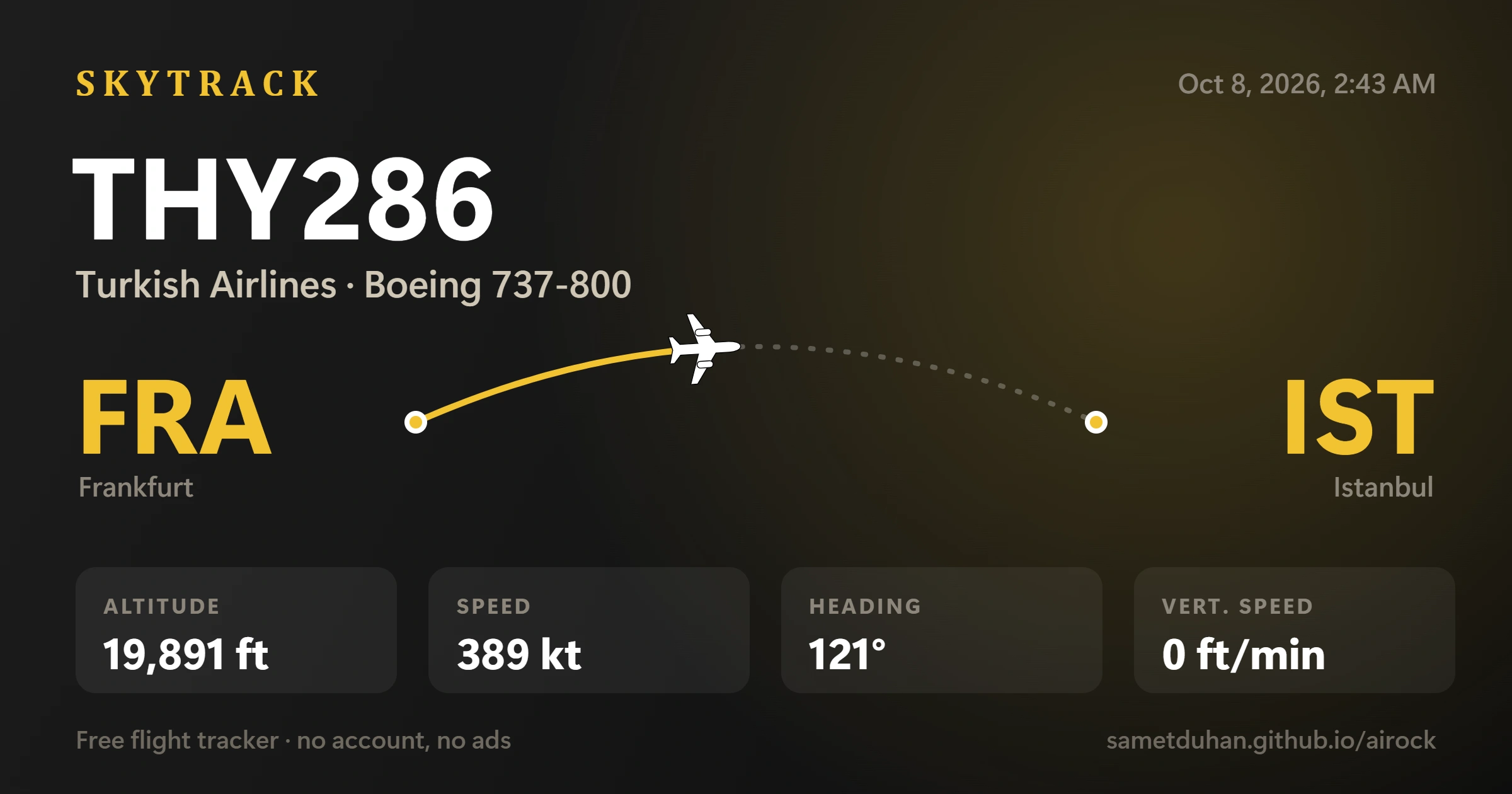
Save a good-looking picture of any flight with one click, and keep your own flight diary.
- Share image: route, callsign and numbers, saved and copied to the clipboard
- Flight diary with total distance, trips around the Earth and estimated CO₂
- CSV export, and “Add to diary” right from a flight card
Worldwide search
Find a callsign, registration, aircraft type or airport anywhere in the world, not only on screen.
Alerts for what you love
Get notified when a rare type like the A380, a helicopter, a military aircraft or your favorite airline shows up.
Your units
Kilometers, miles or nautical miles, feet or meters, knots, km/h or mph, °C or °F, 12 or 24-hour time.
Updates itself
New versions download in the background and install when you restart. No need to visit this page again.
Runs in the tray
Close the window and SkyTrack keeps watching your list, so notifications still arrive.
Easy to start
A short tour on the first launch shows what everything does. You can replay it any time.
Satellite clouds & trails
Real satellite images with clouds under the aircraft, and trails that show where each one has been.
Stats & longer replay
See what is in the air right now: busiest airports, top airlines and types. Rewind 1, 3 or 6 hours.
Route check
Pick two airports and see what turbulence is reported along the way, at three cruise altitudes.
Watch a flight by number
Enter TK1 before it departs. Get a notification when it is in the air, and when the route ahead gets bumpy.
Seat tips
Which side the sun is on, and where in the cabin you feel turbulence least.
Data you can rely on
The map starts with the last known positions and says clearly when the free data sources are busy. Add your own OpenSky key for more.
Layers for every mood
Switch layers on with one click: turbulence, wind, rain radar, and a live day and night shade of the whole planet.
- Day and night, updated every minute
- Standard, light and dark map styles
- Fold any menu section, even the aircraft list. SkyTrack remembers what you folded.
Plane spotter mode
A logbook, “new aircraft” and “new type” badges, extra details and CSV export. Off by default.
Demo mode
45 simulated flights, no internet needed. Time runs 30× faster.
Fifteen languages
Switch the whole interface between English, Turkish, Spanish, German, French, Arabic, Chinese, Japanese, Korean, Italian, Russian, Portuguese, Polish, Persian and Swahili.
Fast with many planes
All aircraft are drawn on one canvas. About 3,700 aircraft over Europe draw in around 8 ms.
Who it's for
Made for people who look up
Whether you are about to fly or just curious about the plane overhead, there is something here for you.
Nervous flyers
Check the route ahead before you board, see which side the sun is on, and get seat tips for where turbulence is felt least.
Plane spotters
Keep a logbook of what you see, get alerts for rare types like the A380, and see what is flying right above you.
Friends and family
Watch a flight and get a notification when it takes off or lands, or open an airport to see who is arriving next.
Aviation fans and students
Read live METAR and TAF with the VFR/IFR category, see SIGMET and G-AIRMET areas, and check the wind at every flight level.
Privacy
Yours alone
SkyTrack is built to need nothing from you.
No account
There is nothing to sign up for and no API key to find.
No ads, no tracking
No advertising and no analytics inside the app.
Stays on your computer
Your watchlist, favorites, diary and settings are saved on your device only.
Open source
The whole code is public under the MIT license, so anyone can read it or build it.
There is no SkyTrack server in between. The app asks the open data services directly.
Download
Get SkyTrack in a minute
Pick the way that suits you. Both are free, and no account is needed.
One click, then run the installer
Download the installer and run it. SkyTrack opens right after.
Download for Windows (.exe)- Windows 10 or newer, 64-bit
- No account, no API key, no ads
- Open source (MIT): read or build the code yourself
Windows may show “Windows protected your PC” because the installer is not code-signed yet. Choose More info → Run anyway. All releases
FAQ
Questions, answered
Is SkyTrack really free?
Yes. It is free and open source under the MIT license. There are no ads, no account and no API key.
Why does Windows warn me when I run the installer?
The installer is not code-signed yet, and Windows warns about every unsigned app. Choose “More info”, then “Run anyway”. The full source code is on GitHub if you want to check it or build it yourself.
Does it work on macOS and Linux?
Yes. Installers for Windows, macOS (.dmg) and Linux (.AppImage) are built with every release, and the download button picks the right one for your computer. macOS may warn because the app is not signed yet: right-click the app and choose Open.
Where does the data come from?
Open community data: adsb.lol and adsb.fi for live positions, OpenSky as a backup, adsbdb.com for routes and photos, Open-Meteo and aviationweather.gov for weather, wind and turbulence. See the list below.
I only see a few planes. Why?
The free feeds have strict rate limits and only cover part of a wide view. Zoom in and more aircraft appear. Coverage is thinner over oceans and some countries.
What does a green turbulence line mean?
It means no turbulence is reported or forecast on the route ahead, at that altitude. It is not a guarantee: clear-air turbulence often cannot be predicted.
How accurate are the fuel and CO₂ numbers?
They are rough estimates from typical cruise fuel burn per aircraft type. The real fuel load of a flight is not public, so treat the bar as an illustration.
How do I update SkyTrack?
From version 0.7.0 the Windows and Linux apps update themselves: a bar appears at the bottom of the menu when a new version is ready. On macOS the bar links to the download. Older versions need one manual update to 0.7.0 first.
Is there a web version?
There is a web demo with simulated flights and turbulence areas, so you can try SkyTrack without installing anything. Live data needs the desktop app, because the free data sources do not allow requests from web pages.
Why do I see fewer aircraft in some regions?
SkyTrack uses free ADS-B feeds run by volunteers with receivers. Europe and North America are covered densely, while parts of the Middle East, Africa and the oceans have far fewer receivers, so you see fewer aircraft there than on commercial trackers. When that is the case the status line says so. After you move the map to a new area, SkyTrack now fills it circle by circle, nearest the center first, so the first aircraft appear within a second or two.
Can I help or report a bug?
Yes, please. Open an issue or a pull request on GitHub.
Data sources
Built on open data
SkyTrack needs no key because all of these are free to use.